Software Management
How to Download & Install LeaderGuide Pro
Follow these steps to download and install LeaderGuide Pro to start creating standardized facilitator and participant guides right away.
Getting Started
-
Make sure Microsoft Word is closed on your system
-
Download LeaderGuide Pro to your computer by completing the form
-
Choose 64-bit or 32-bit download
-
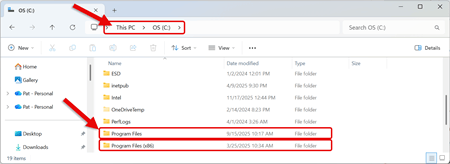
Click here to tell which version you need
-
-
Go to your Downloads folder and look for either:
-
LGPro16x64Installer
-
LGPro16x32Installer
-
-
Click on the install file to add LeaderGuide Pro to your computer
Follow the Prompts on the Installation Wizard.
-
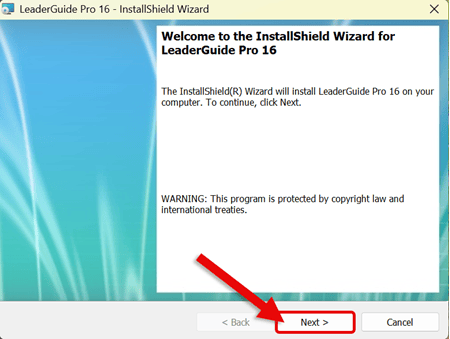
Click Next to start the installation process
-
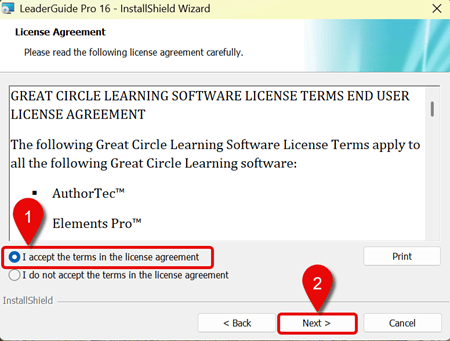
Read and Accept the Terms of the End User License Agreement (EULA)
-
Click Next
-
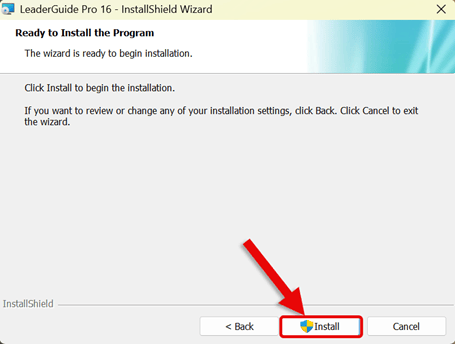
Click Install
-
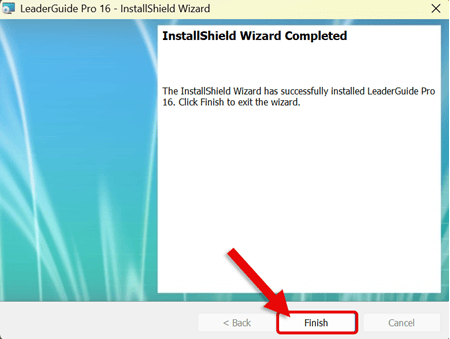
Click Finish to close out the Installation Wizard
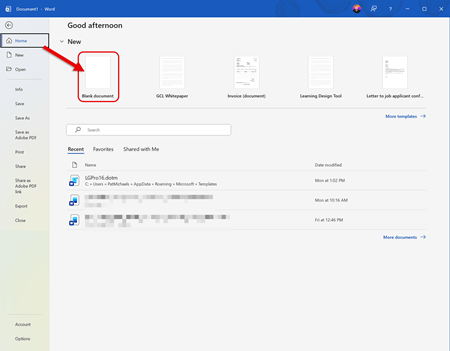
Open Microsoft Word
-
Go to the Home Tab and select Blank Document

-
On the Word Ribbon, LeaderGuide Pro will now appear
-
LeaderGuide Pro is now installed on your computer.
Next Steps
Learn About
|
How to tell if I need the 64-bit or 32-bit install file:
|