Software Management
How to Uninstall AuthorTec
Learn the steps to safely and fully uninstall AuthorTec
License Key
Uninstall
1. Make sure Microsoft Word is closed.
2. Open Windows Control Panel
-
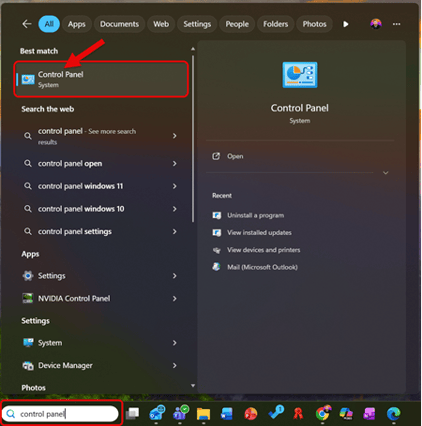
Type Control Panel in the search box on the Windows Taskbar
-
Select Control Panel from the search results
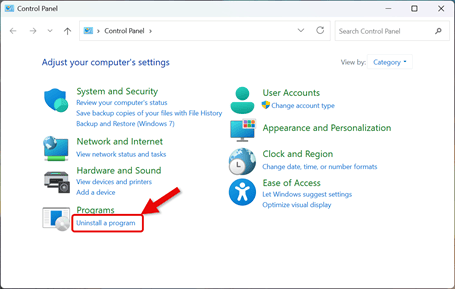
3. This Opens the Control Panel Dialog Box
-
Select Uninstall a Program from the Programs section
-
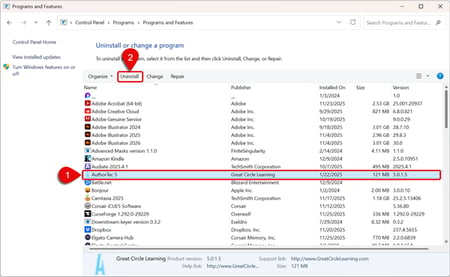
Scroll through the list to find and select AuthorTec
-
Click Uninstall at the top of the list (or right-click the program and choose Uninstall)
-
Click Yes to confirm the uninstall of AuthorTec
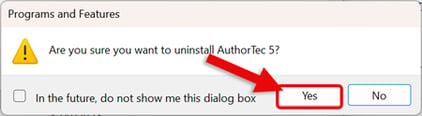
4. AuthorTec Uninstalls from the Computer
-
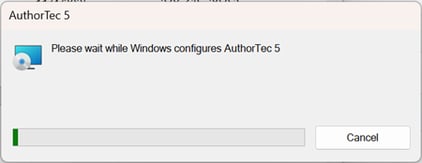
When finished, close the control panel window.